

Cortex — Local Agent Studio
Last updated 35 days ago · 55e6c0c
Cortex is the official local-first companion studio for Reactive Agents. Fire it up alongside any agent run and get an instant GUI — live reasoning traces, entropy signal charts, token/cost vitals, debrief summaries, a full trace panel, and an interactive chat interface — all persisted to SQLite so you can replay any run at any time.
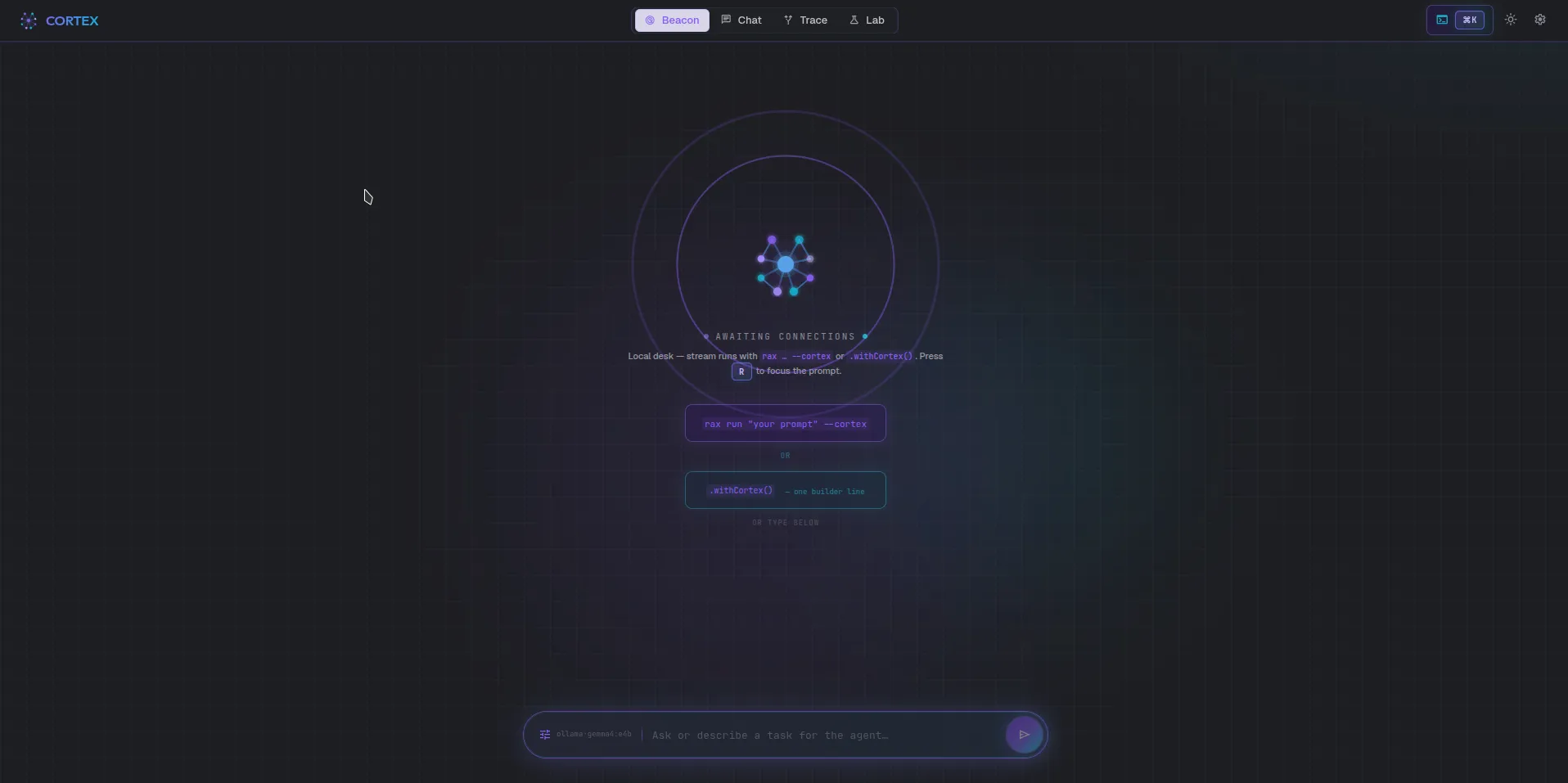
Quick Start
Section titled “Quick Start”Start Cortex with one command, then connect any agent with one line:
# Terminal 1 — install Cortex once, then launch the studiobun add @reactive-agents/cortexrax cortex# → API + UI on http://127.0.0.1:4321 (opens in your browser automatically)
# Terminal 2 — run an agent that streams to Cortexrax run "Research the top 5 TypeScript testing frameworks" \ --provider anthropic \ --reasoning \ --tools \ --cortex# Terminal 1 — clone and launch the dev stack (server + Vite UI)git clone https://github.com/tylerjrbuell/reactive-agents-tscd reactive-agents-ts && bun installbun cortex# → API on http://localhost:4321# → UI on http://localhost:5173 (Vite dev mode — hot reload)
# Terminal 2 — same as above; rax stream events into the studiorax run "Research X" --provider anthropic --cortexThen connect any agent from code:
import { ReactiveAgents } from 'reactive-agents'
const agent = await ReactiveAgents.create()    .withProvider('anthropic')    .withReasoning()    .withTools({ builtins: true })    .withCortex() // ← streams all events to http://localhost:4321    .build()
await agent.run('Research AI agent frameworks')
When running rax cortex (npm) Cortex opens your browser at http://127.0.0.1:4321 automatically. From source-repo bun cortex, the Vite dev UI opens at http://localhost:5173 (hot-reload), with the API on :4321.
Cortex has five views accessible from the top navigation bar:
Beacon — Live Agent Grid
Section titled “Beacon — Live Agent Grid”The Beacon view is your agent command center: a live grid that shows every connected agent’s cognitive state in real time, updated via WebSocket as events stream in.
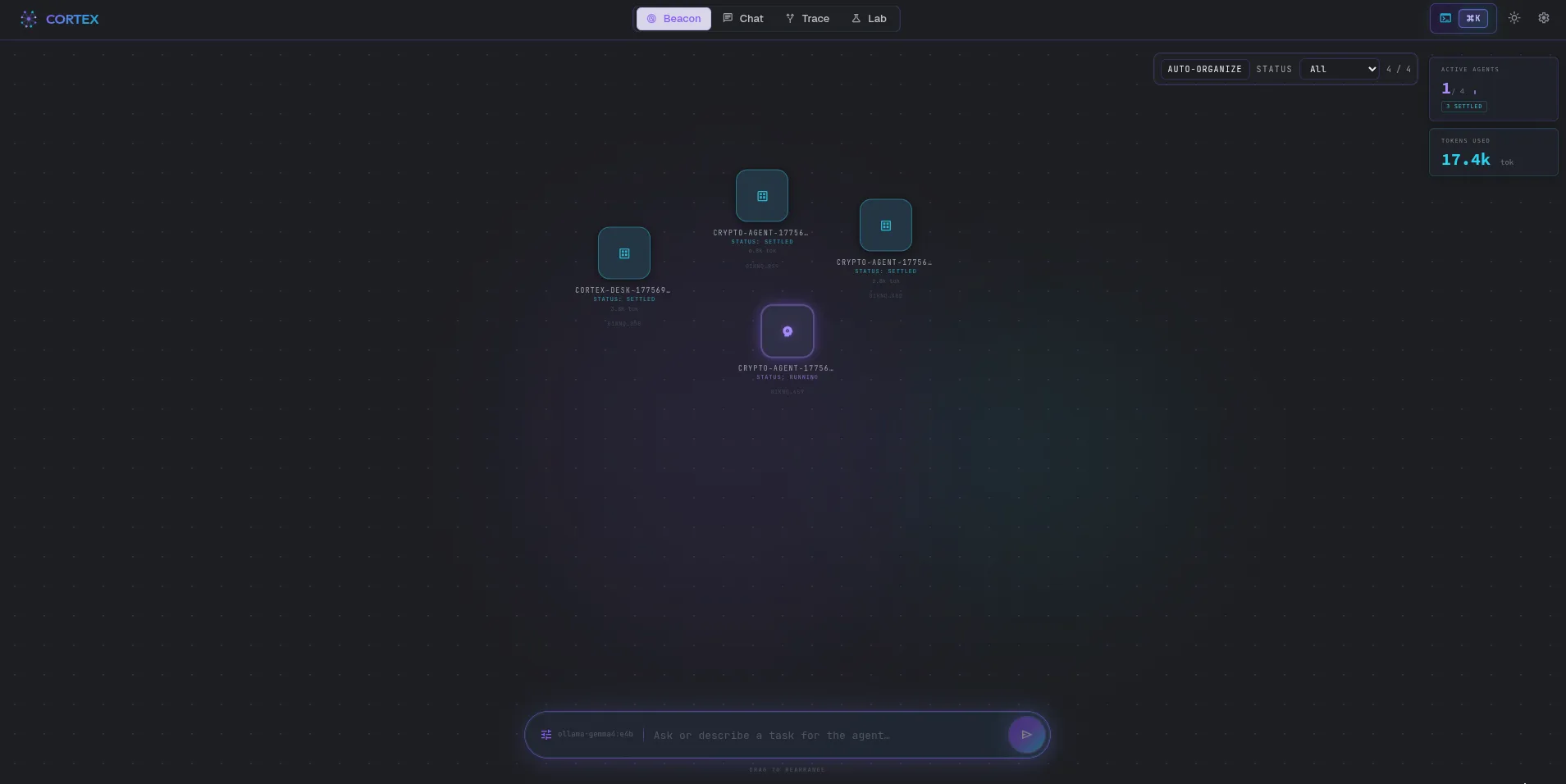
Cognitive state labels map to entropy scores from the Reactive Intelligence layer:
| State | Meaning |
|---|---|
running | Agent is actively executing — standard entropy |
exploring | Diverging entropy — agent is broadening its search |
stressed | High entropy — agent may be stuck or looping |
completed | Run finished successfully |
error | Run ended with an unhandled error |
idle | Agent is connected but not currently running |
The filter bar (All, Running, Exploring, Stressed, …) lets you focus on agents of interest. The bottom input bar submits a new prompt via POST /api/runs and navigates directly to the new run on success.
Run View — Deep Inspection
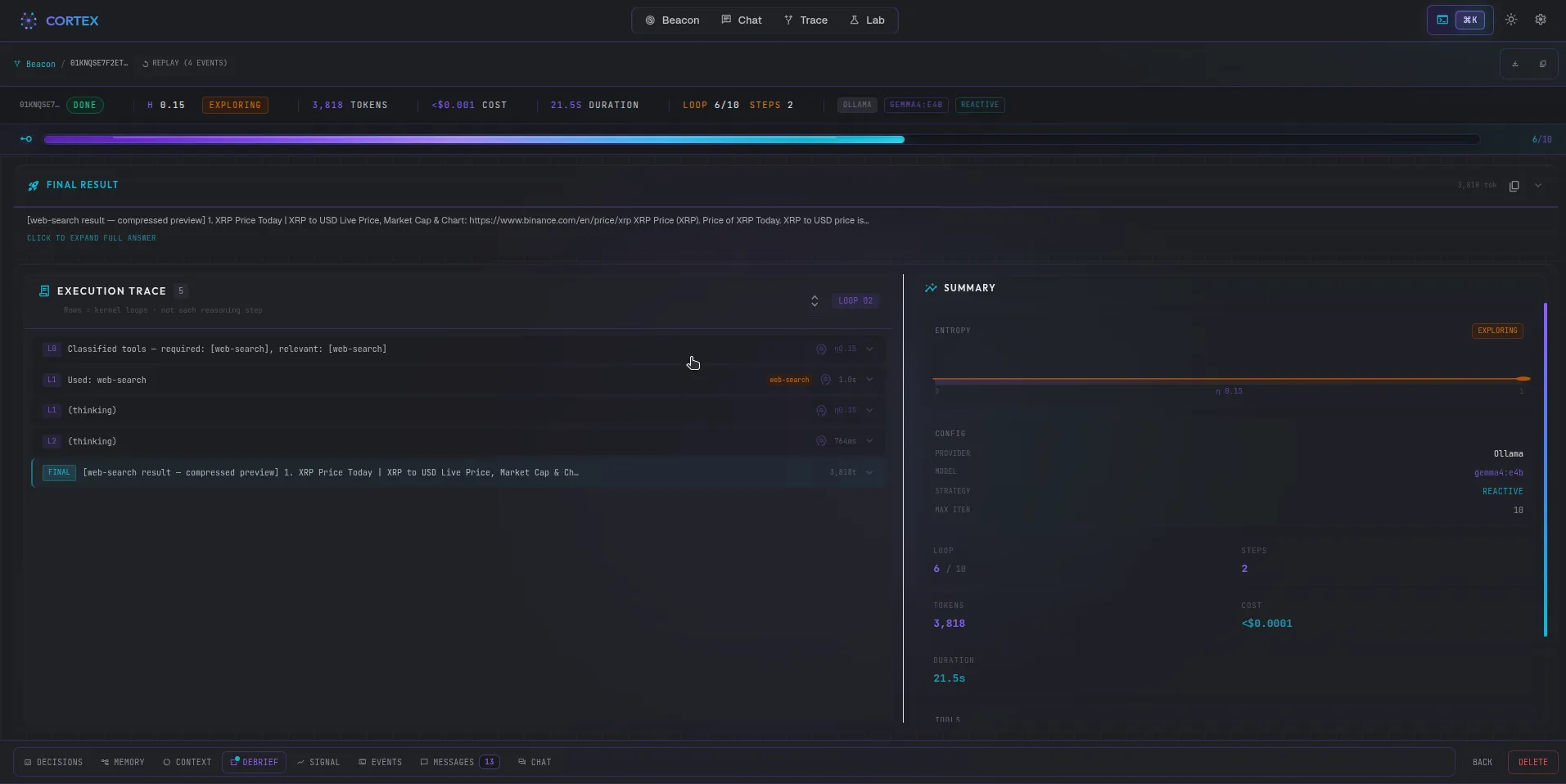
Section titled “Run View — Deep Inspection”Navigate to any run from the Beacon grid or the Runs list. The Run View is the core diagnostic surface in Cortex: a multi-panel interface combining real-time streaming and persistent replay.
Vitals Strip
Section titled “Vitals Strip”Always-visible run metadata: iteration count, total duration, tokens used, estimated cost, LLM provider, model, and reasoning strategy selected.
Entropy Signal Monitor
Section titled “Entropy Signal Monitor”A D3-powered chart tracking the composite entropy score across all iterations. Entropy encodes reasoning quality — a converging trace (↘) indicates healthy progress toward an answer; a flat or diverging trace flags loops or confusion. The chart updates live while the run is in progress, and is fully replayable from history.
Trace Panel
Section titled “Trace Panel”A step-debugger for the agent’s reasoning, with two views (toggle at the top):
- Timeline (default) — a fine-grained, chronological event stream grouped by
kernel iteration. Every discrete event is its own inspectable, expandable row:
reasoning steps (thought / action / observation), LLM exchanges (system
prompt, full message thread, native tool calls, token counts, and Anthropic
prompt-cache hit %), tool calls, strategy switches, verifier verdicts,
and guard firings. Filter chips (
Reasoning,LLM calls,Tools,Control,Aux/internal) mute or reveal categories — aux/internal calls (intent classifier, structured plan-gen) are hidden by default and one click away. The timeline reuses the sameTraceEventmodel as therax diagnoseCLI. - Frames — the classic per-iteration view: collapsible Thought / Action / Observation frames, each time-stamped and indexed.
Both views replay from the SQLite event log; the timeline also follows replay scrub.
Bottom Tabs
Section titled “Bottom Tabs”| Tab | Content |
|---|---|
| Debrief | Structured post-run summary: task, plan, outcome, sources, confidence, and self-critique |
| Decisions | Controller decision log — each Reactive Intelligence intervention: early-stop, strategy-switch, context-compress, etc. |
| Memory | Memory entries read and written during this run (working, semantic, episodic, procedural) |
| Context | Full context window snapshot at each iteration |
| Raw Events | All persisted AgentEvent objects with timestamps — the ground truth log |
| Chat | Open a follow-up conversation with the same agent using this run as context |
Chat — Interactive Sessions
Section titled “Chat — Interactive Sessions”The Chat view provides a conversational interface for multi-turn dialogue with any agent. Sessions are listed in the left panel; each session preserves the full conversation history.
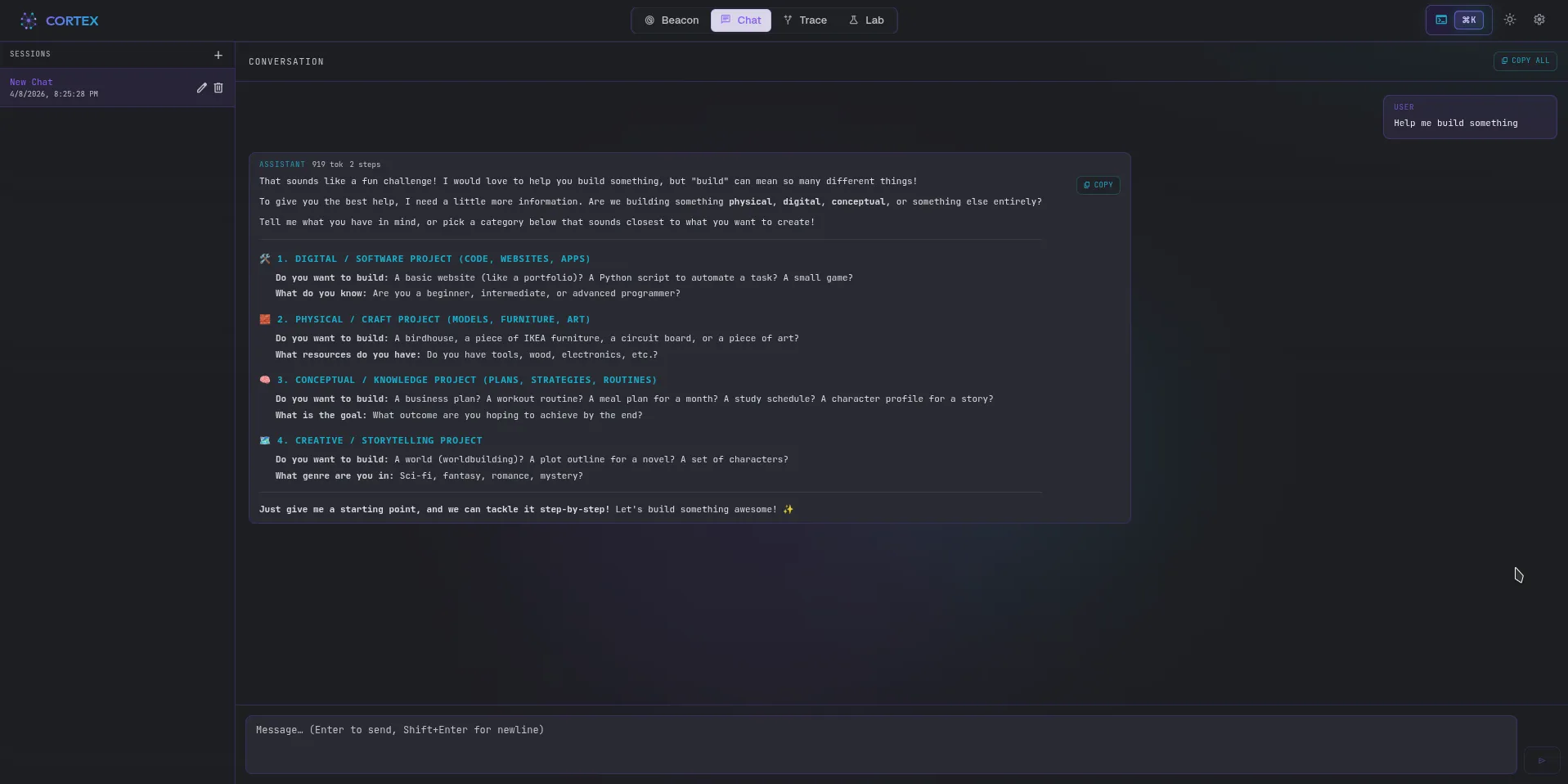
Chat sessions are powered by @reactive-agents/svelte under the hood — the same createCortexAgentRun primitive that you can use in your own Svelte frontend.
Lab — Builder, Skills, Tools, and Gateway
Section titled “Lab — Builder, Skills, Tools, and Gateway”The Lab view is the workshop for configuring and launching agents directly from the Cortex UI without writing code:
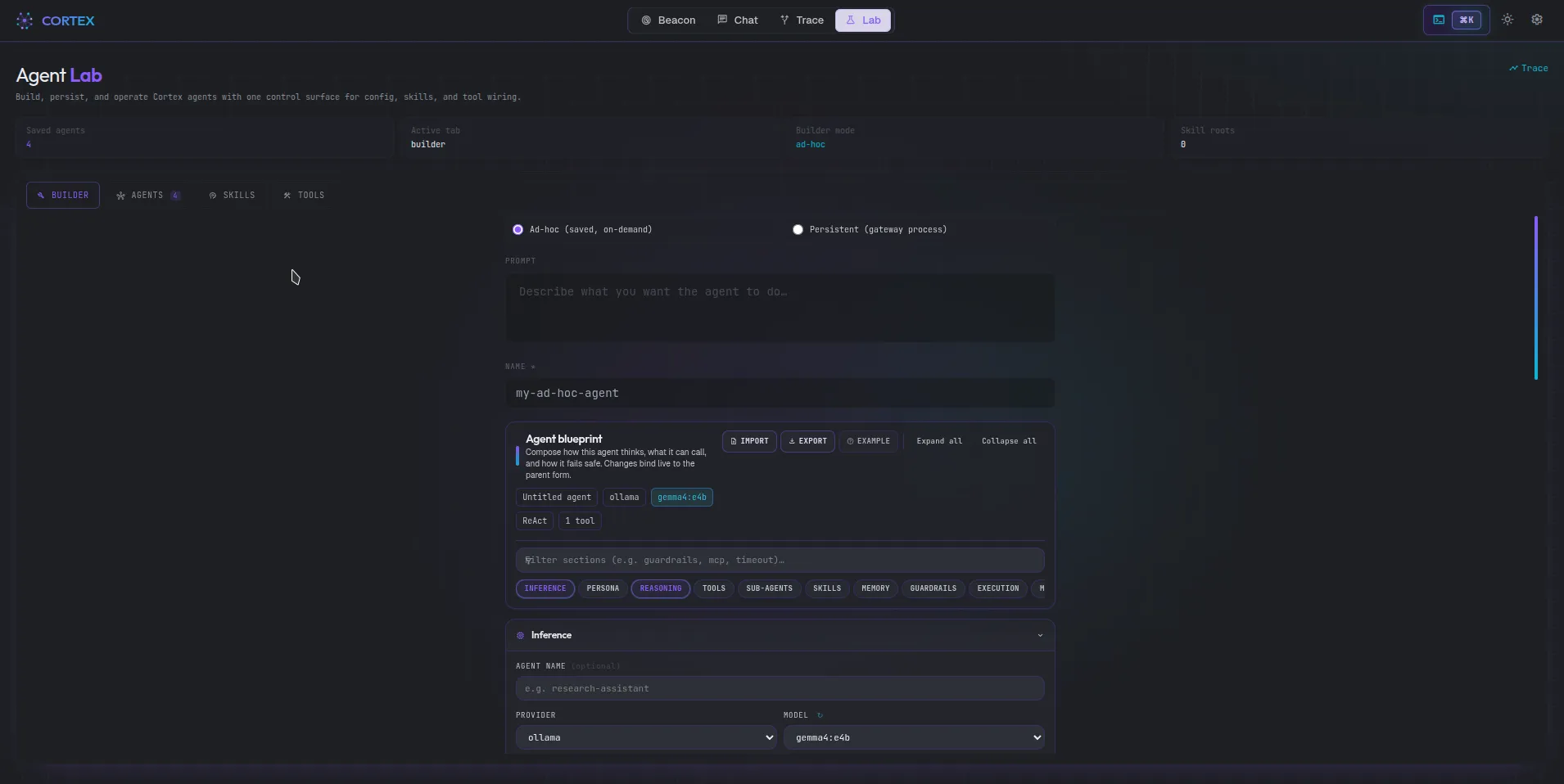
| Tab | Purpose |
|---|---|
| Builder | Visual agent configurator — choose provider, model, capabilities, and submit a prompt. The Inference section includes a Context length (numCtx) field to pin the exact provider context window (Ollama num_ctx); it also drives the context-usage gauge. Runs are immediately tracked in Beacon. |
| Gateway | Manage persistent gateway agents: list all saved agents, see their status, last run time, and schedule. Start/stop on demand. |
| Skills | Browse all SKILL.md files discovered in the workspace and stored in SQLite. View skill content, metadata, and evolution history. |
| Tools | Workshop for testing individual tools — invoke any registered tool with custom parameters and inspect the result. |
Verification and host shell (Lab builder)
Section titled “Verification and host shell (Lab builder)”Cortex’s Lab Builder tab tracks the framework, but two options deserve a clear split:
| Control | What it does |
|---|---|
| Verification step → Reflect | One extra LLM pass that reviews the draft answer (withVerificationStep({ mode: "reflect" })). Fast, no separate verification package. |
| Runtime verification layer | Enables @reactive-agents/verification (withVerification) — semantic entropy and related checks. Heavier than reflect; use when you want structured confidence signals. |
Allowed tools are chosen in the Lab Builder Tools section: quick toggles for common builtins, MCP tools from your saved servers, plus an Additional allowed tools field for exact IDs (Lab custom tools, less common builtins). Optional additionalToolNames is merged with the toggle list at run time.
Host shell (shell-execute) is off by default. When you enable it in Tools, Cortex registers the framework terminal tool with default allowlist/blocklist on this machine — not an isolated Docker sandbox unless you build that in your own code. You can add extra allowed command names (e.g. node, gh) or, for advanced setups, replace the entire allowlist from the same Tools panel — both map to ShellExecuteConfig in the framework.
Settings
Section titled “Settings”Configure global Cortex defaults:
- Default provider and model — used as the pre-fill in the Lab Builder
- Ollama endpoint — custom local Ollama server URL
- UI theme — light / dark / system
- Notifications — enable / disable toast notifications
- Storage — view current SQLite path and database size
Connecting Your Agent
Section titled “Connecting Your Agent”.withCortex() Builder Method
Section titled “.withCortex() Builder Method”const agent = await ReactiveAgents.create() .withProvider('anthropic') .withModel('claude-sonnet-4-6') .withReasoning({ defaultStrategy: 'plan-execute-reflect' }) .withTools({ builtins: true }) .withCortex() // ← connects to http://localhost:4321 .withCortex('http://my-cortex:4321') // ← or explicit URL .build()URL resolution priority:
- Explicit URL passed to
.withCortex(url) CORTEX_URLenvironment variable- Default:
http://localhost:4321
The connection is best-effort — if Cortex is not running or the WebSocket drops, the agent continues executing normally and logs a single warning. Cortex never blocks or slows down agent execution.
What Gets Streamed
Section titled “What Gets Streamed”Every AgentEvent emitted on the internal EventBus is forwarded to Cortex over WebSocket at /ws/ingest. This includes:
| Event | What It Represents |
|---|---|
AgentStarted | Run begins — registers the agent in Beacon |
AgentCompleted / AgentFailed | Run ends — final status + cost |
ReasoningStepCompleted | One thought/action/observation triplet |
ToolCallCompleted | Individual tool result with success/failure |
FinalAnswerProduced | The agent’s answer |
LLMRequestCompleted | Token usage + cost per LLM call |
DebriefCompleted | Post-run structured summary |
EntropyScored | Reactive Intelligence entropy measurement |
ControllerDecision | Reactive Intelligence intervention (early-stop, etc.) |
ChatTurn | Chat session message |
MemoryRead / MemoryWrite | Memory layer activity |
ProviderFallbackActivated | Provider fallback triggered |
Environment Variables
Section titled “Environment Variables”| Variable | Default | Purpose |
|---|---|---|
CORTEX_PORT | 4321 | Cortex server listen port |
CORTEX_URL | http://localhost:4321 | Base URL used by .withCortex() if not passed explicitly |
CORTEX_NO_OPEN | unset | Set to 1 to prevent opening a browser on server start |
CORTEX_LOG | info | Server log verbosity: error | warn | info | debug |
CORTEX_SKILL_SCAN_ROOT | — | Extra root path to scan for SKILL.md files in Lab/Skills |
rax CLI Integration
Section titled “rax CLI Integration”Note: Cortex is a contributor tool, not a public CLI command. Launch it from a repo clone via
bun cortex(orcd apps/cortex && bun start). Therax run --cortexflag still works in the published CLI — it streams events to whatever Cortex instance you have running locally.
# Start studio with hot-reloading UI (contributor tool)bun cortex
# Custom port (set CORTEX_PORT)
CORTEX_PORT=4444 bun cortex
# Suppress browser auto-open
CORTEX_NO_OPEN=1 bun cortex# Connect a one-off run to Cortexrax run "Summarize the top AI news" \ --provider anthropic \ --reasoning \ --tools \ --cortex
# Custom Cortex URLCORTEX_URL=http://cortex.internal:4321 \ rax run "Task" --cortex --provider anthropic
# Stream output to terminal AND trace in Cortex simultaneouslyrax run "Write tests for my auth module" \ --provider anthropic \ --reasoning \ --tools \ --stream \ --cortexArchitecture
Section titled “Architecture”Cortex is a standalone application that runs alongside your agent process. It has no dependencies on the agent’s runtime — communication is purely over WebSocket.
Your Agent Process Cortex Server (port 4321)───────────────────── ────────────────────────────ReactiveAgentBuilder server/index.ts .withCortex() ├── /ws/ingest ← receives events │ │ └── CortexIngestService │ WebSocket (best-effort) │ └── persists to SQLite └────────────────────────────────►│ └── EventBridge.broadcast() │ │ ├── /ws/live/:agentId ← fans out to UI │ ▲ │ └── Browser (SvelteKit UI) │ http://localhost:5173 ← dev server URL └── /api/runs ← REST historyServer stack: Bun + Elysia + bun:sqlite
UI stack: SvelteKit 2, Svelte 5 (runes), Tailwind CSS, D3 for signal charts
Persistence: SQLite at .cortex/cortex.db relative to the server process cwd
The live WebSocket at /ws/live/:agentId supports replay: on connection, the server immediately replays all persisted events for the requested runId, so the UI refreshes correctly even after a page reload.
Integration with Web Framework Hooks
Section titled “Integration with Web Framework Hooks”Because Cortex dogfoods @reactive-agents/svelte, you can use the same primitives in your own Svelte app:
import { createRun } from '@reactive-agents/svelte'
const agentRun = createRun({    endpoint: 'http://localhost:4321/api/agent/my-agent',})
// Reactive Svelte store: $agentRun.status, $agentRun.output, $agentRun.iterations
The same pattern is available for React (@reactive-agents/react) and Vue (@reactive-agents/vue).
Production Use
Section titled “Production Use”Cortex is designed for local development and internal tooling. For production deployments:
- Run
bun run build:uiinsideapps/cortexto build the static SvelteKit bundle intoui/build - The Cortex server serves the static bundle when
CORTEX_STATIC_PATHpoints toui/build - Secure the WebSocket endpoints and REST API behind your internal network — Cortex has no authentication by default
# Build the UI for self-hosted deploymentcd apps/cortexbun run build:uibun run dev:server# → Serves static UI + API on http://localhost:4321Related
Section titled “Related”- Observability — terminal-based metrics and tracing that Cortex complements
- Reactive Intelligence — the entropy signals visualized in the Signal Monitor
- Rax CLI Reference — Cortex contributor-tool reference
- Builder API Reference —
.withCortex(url?)signature