

Plan and Execute mode
Plan and Execute mode
Section titled “Plan and Execute mode”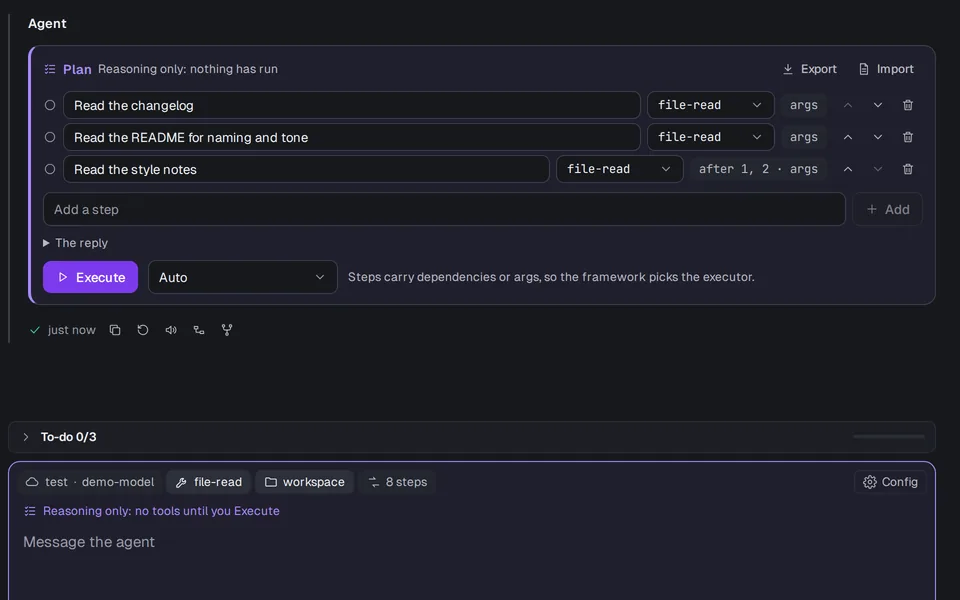
A Plan | Execute toggle sits at the left of the composer’s footer. It is the chat session’s mode, stored with the session, so it survives a reload. Plan is reasoning only: the agent can only record its plan (the todo checklist, which Plan mode turns on) until you switch to Execute, and the composer says so (Reasoning only: no tools until you Execute) with a calm accent edge. A Plan reply renders as an editable plan card: the framework’s plan as a checklist of steps, each with its status and an optional tool hint. Reword a step, move it up or down, remove it, or add your own; the tool hint is a dropdown of the tools this chat offers (its own tools, and each attached MCP server’s tools under the server’s name), with No tool to clear it, and a hint the chat no longer offers stays listed under its own heading. Export copies the saved plan as Markdown or downloads it as Markdown, a self-contained web page or JSON; Import replaces the plan with a file or pasted Markdown (a bulleted or checkbox list works) or a plan exported as JSON, counts as your edit, and says why when the text cannot be read. The formats are the framework’s, so a plan exported here opens anywhere the framework reads plans. Save plan keeps the edits, and the primary Execute button records them (the framework’s session.setPlan, so the next turn is seeded from your list), switches the session to Execute and sends Execute the plan.. The plan is stored with the session and survives a reload. Each step is one compact line: status dot, the title, a small tool control (a quiet + tool until the step has one), a chip and icon-only move and remove buttons. The chip (deps / args, or after 2 · args once set) opens the Dependencies and args editor in place under the step and costs no height until you click it. In it, tick the other steps it waits for (dependsOn) and give it a JSON object of arguments for its tool (args). A graph that cannot run (a step waiting on itself, or a cycle) is named under the checklist in the framework’s words and disables Execute until you fix it; both fields travel in Export and Import. Beside Execute, an Execute strategy picker chooses how the plan runs. Auto (the default) runs a plain checklist as the usual Execute turn, and when any step has dependencies or args the framework picks the executor by the plan. Blueprint runs the steps as a dependency graph with no model, and Plan-execute-reflect runs each step in its own loop and reflects. A named strategy runs through the framework’s plan executor (agent.execute(plan, { strategy })); the reply lands in the thread, the steps on the card show the status the run ended with, and if the framework refuses the plan its reason shows under the card. A Plan turn can also stop and ask you a question before it settles on a plan: the reply box appears in the thread, and your answer lets the same turn finish the plan. When Plan recon is on (Lab builder, Reasoning), the agent may also call a few read-only tools while planning, such as listing the sites an analytics server holds. What it learns shows on the plan card as a collapsed Findings list, each row a tool chip and a short summary. Remove a finding you do not trust, before you Execute, so it does not seed the run; export carries the findings too. After Execute the plan turn keeps a read-only card whose steps show their live status. The model’s reply sits under the steps, folded away. The run view’s Events tab shows PlanRecorded (a plan the agent records), PlanStepStatusChanged and ChatModeChanged; your own plan edits live on the plan card, not in a run’s events. Shift+Tab flips the mode from the text box; /plan and /execute (alias /go) flip the same session mode, and /plan <task> also sends the task as the first Plan turn. See Goals, plans and loops.
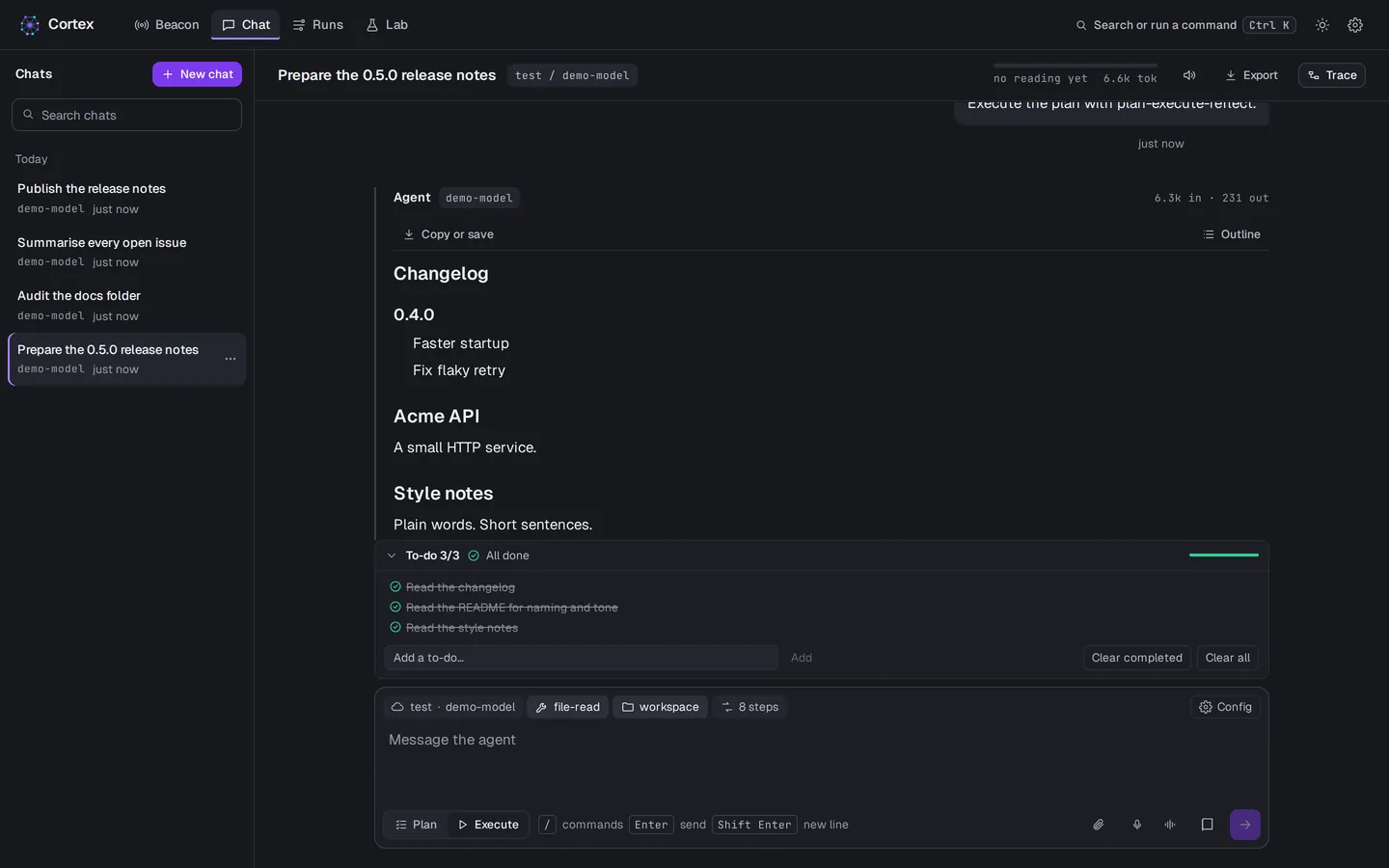
The chat quick bar shows the model and the settings changed from their defaults; its Config popover sets strategy, tools, shell, workspace, and the per-turn step cap next to provider and model.
Part of Chat and composer.
Install
Bun (recommended)bun add reactive-agentsNode 22.5+npm install reactive-agentsGet notified on new releases