

Cortex tour
Cortex has four top-bar views (Beacon, Chat, Runs, Lab) plus Settings. A run view opens from any run. Each section below says what the view is for and links to the page that covers it in depth.
Beacon: what your agents are doing right now
Section titled “Beacon: what your agents are doing right now”Beacon is the home page. It updates over WebSocket as events stream in, and it has two views: Board (the default) and Field. Switch with the Board / Field control in the header; the choice is kept in the URL (/?view=field) and remembered in the browser, and the URL wins.
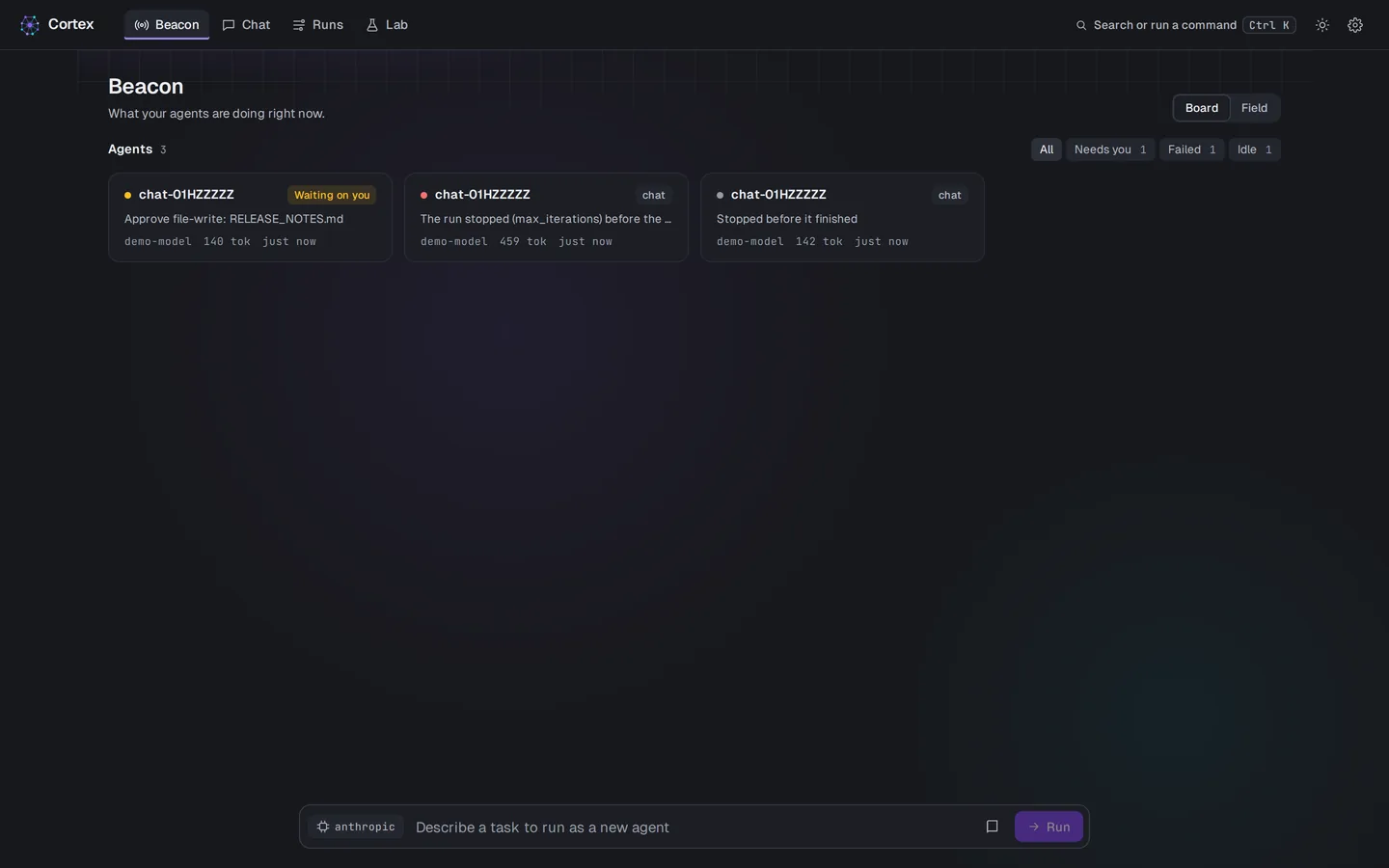
Board. Running now shows one card per agent that is working: its name (the run’s label, saved agent, chat or task, never a bare id), where it came from (chat, gateway, desk run, app), how long it has run, its task, what it is doing now (Calling http-get, Thinking after 14 tool calls), a small entropy line with the latest value (η 0.62), a loop meter and step 3 of 6 · 2.1k tok · $0.310. Only running cards glow. A page opened mid-run fills the entropy line from the run’s stored events. Below, the Agents grid lists every other agent with its status, source, last line (the question or approval it waits on, why it failed, or its task), model, tokens and time, filtered by All, Needs you, Failed and Idle (finished, stopped or idle).
Statuses use the same words as Runs and Chat: Running, Needs you (paused on an approval or a request_user_input question), Finished, Failed, Stopped, Idle.
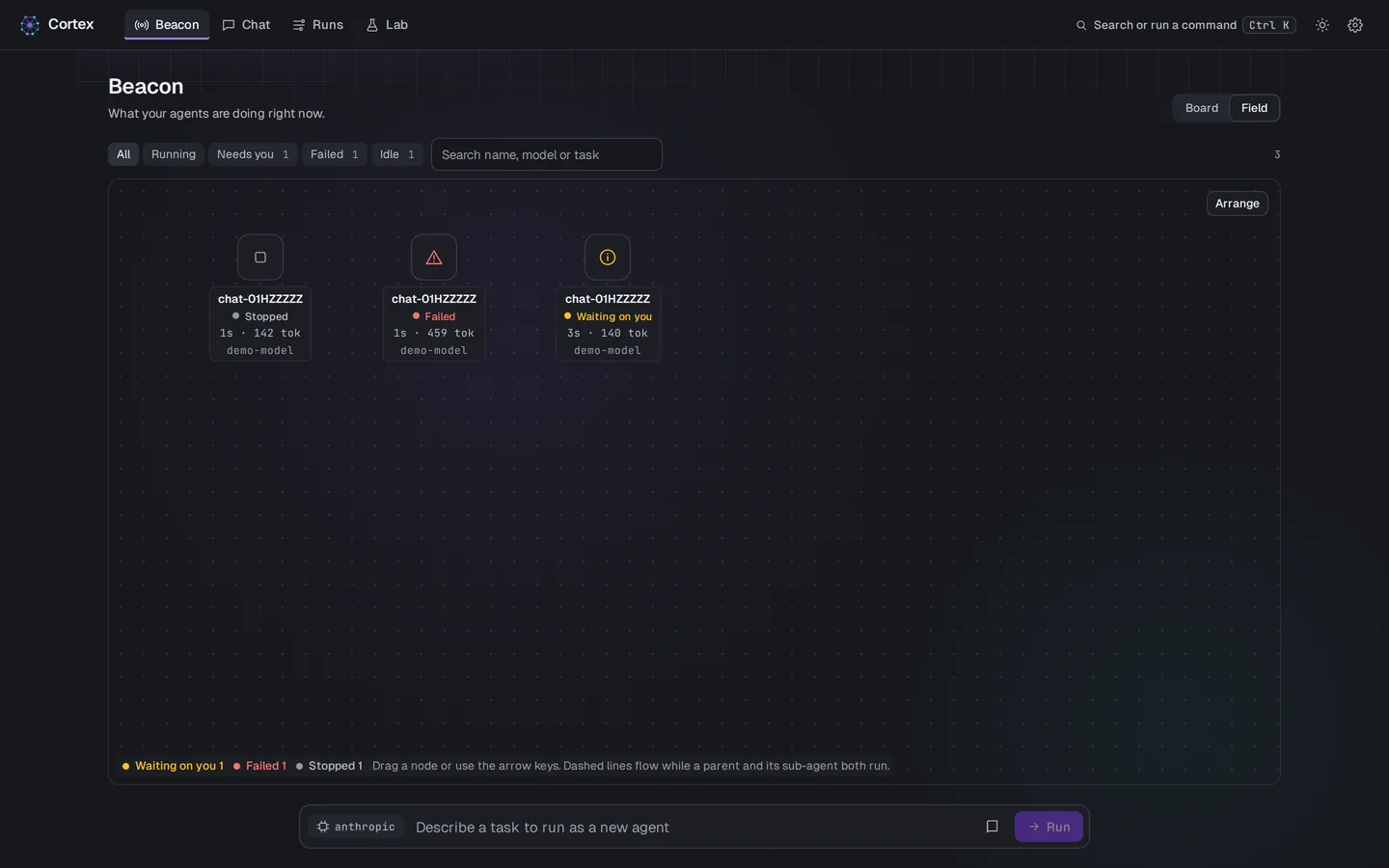
Field. The free canvas: agents as nodes on a dot grid, labelled by name and status (Calling http-get, Running · step 3, Finished). Running nodes glow and carry one sonar ring. Sub-agents link to their parent run (linked by persisted parentRunId, so the hierarchy survives a reload), and a link flows only while both ends run. Nodes never overlap: each takes its own slot, sub-agents sit in the row under their parent, and the Field scrolls when the desk has more agents than one screen holds. Each node also shows its model, run time, tokens and cost (parts with no data are left out), and a legend under the Field counts the agents shown by status.
Filter the Field with the status chips (All, Running, Needs you, Failed, Idle) or search by name, model or task. The count reads 12 of 48 while fewer agents are shown, and the filter is remembered per browser. The chips are shared with the Board (which has no Running chip); the search box is on the Field. Hidden agents keep their position. Drag any node by its handle as often as you like, or focus it and use the arrow keys (Shift moves further). A parent has a fold button that hides or shows its sub-agents; on a desk of more than 12 agents, parents whose sub-agents have all finished fold on their own (fold choices last for the page). Arrange forgets your drags and tidies the visible nodes by delegation tree, then state. Dragged positions are kept per browser.
The prompt bar at the bottom starts a new agent in both views: the model chip opens the full agent settings for this run, the book opens the prompt library, and Run (or Enter) submits via POST /api/runs and opens the new run. Press R anywhere to focus it.
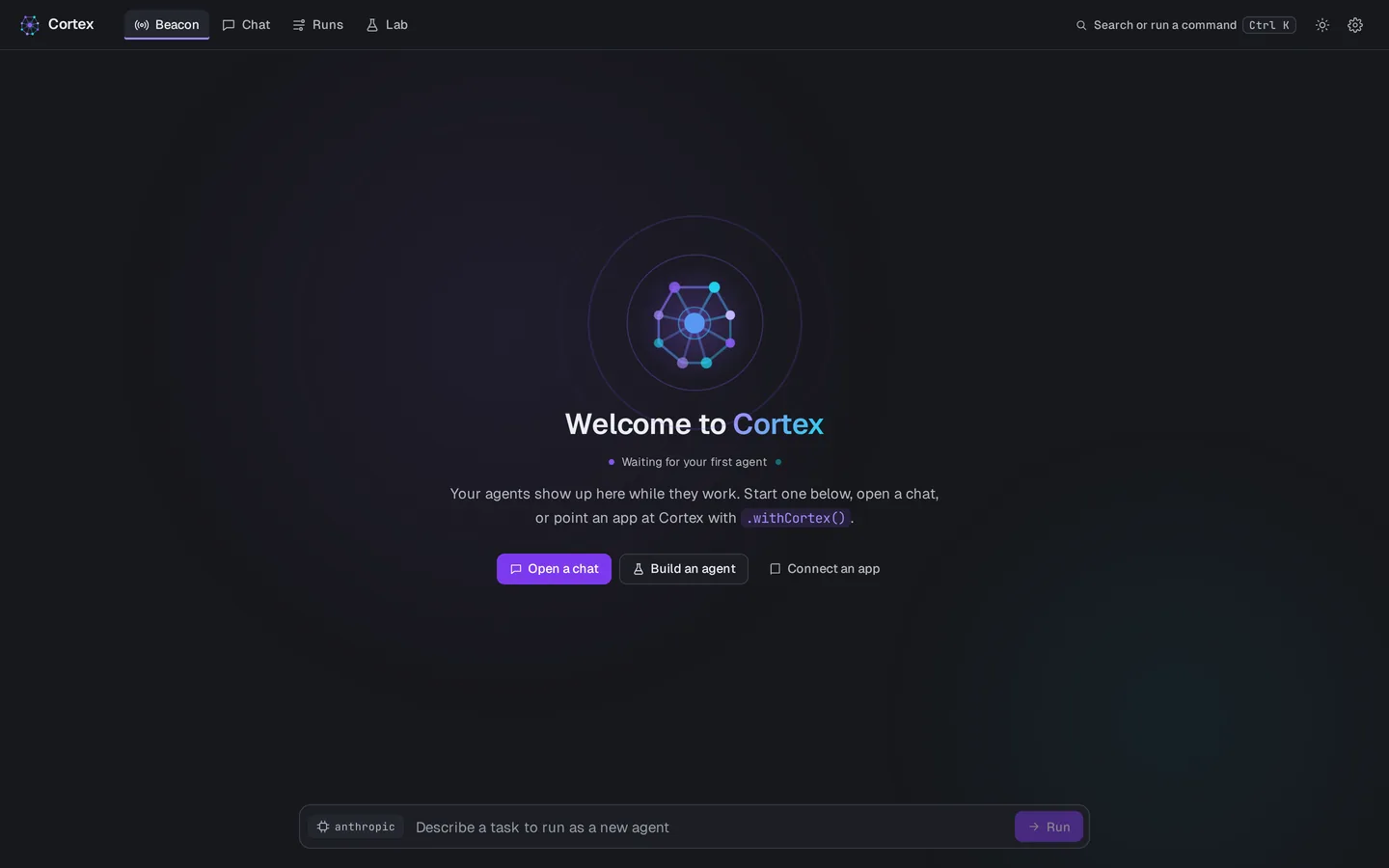
With no agents yet, Beacon shows a welcome with Open a chat, Build an agent and Connect an app (.withCortex()).
Under Settings · Motion, Reduce motion (or the system setting) stills the background, the glow, the sonar ring and the flowing links; status text still says what is running.
Runs (/runs; /run redirects there) lists every run Cortex has seen: chat turns, desk runs from Beacon or the Lab, saved gateway agents, and any app built with .withCortex(). Each row shows the run’s name (its label, or the chat it came from, never a bare id), where it came from, its status, model, strategy, steps, tokens, cost, time and start. Live rows update over WebSocket and carry an accent edge.
- Waiting on you — a strip above the list, shown only while something waits: runs paused on an approval gate (Approve, Deny, Open run or Open chat) and
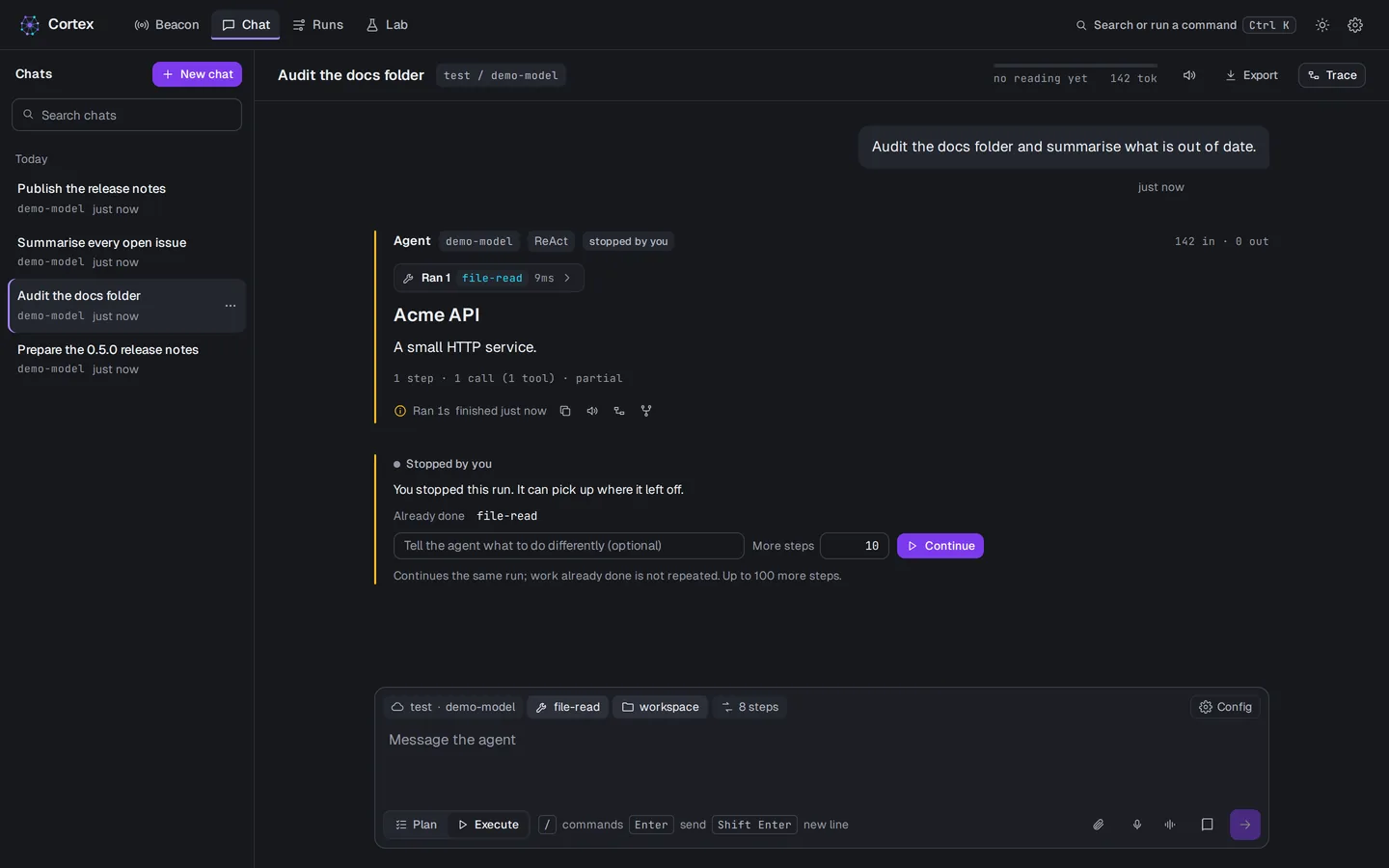
request_user_inputquestions (the choice buttons, Yes / No, or a short form, answered in place). - Can continue — a strip shown only when a desk run with durable runs on (the default) ended without finishing and the framework left it resumable: you paused or stopped it, a loop guard saw the agent repeat a step, it ran out of budget or time, or it hit an error. Each entry carries the run’s status and a chip saying why (Paused by you, Stopped by you, Stopped by a loop guard, Ran out of budget, Timed out, Stopped by an error), the reason in plain words, the tools already done and the items left. Add an optional note, choose More steps (default 10) and press Continue: the run carries on from its last finished step as a new run linked to the one that stopped (the framework’s
agent.resumeRun(runId, { note, extraIterations, newRun: true }); its page opens, and both pages show “continued from” and “continued as” links), and finished tool calls are not run again. The Runs list also has a Can continue segment that shows only those runs. Pause and Stop on a running desk run use the framework’spauseRun/stopRunwhen durable runs are on (the run ends at its next step with a place to continue from, and a toast says so); without durable runs they behave as before and nothing can be continued. In chat the same card appears under a turn that stopped this way (see Stop, continue, compact and agent control). - Stopped mid-run — a strip shown only when a desk run with durable runs on was still going when Cortex stopped (the process was killed, the machine slept, a crash). Each entry says which loop it resumes after; Resume rebuilds the agent from the run’s saved settings and continues it from its last checkpoint with the framework’s
agent.resumeRun(), as a new run linked to the crashed one (its page opens; the crashed run is closed as stopped), so tool calls that already finished are not run again. - Toolbar — search (name, chat, agent, model, strategy), a status segment with counts (All, Running, Waiting, Finished, Failed, Stopped), sort, and the token and cost totals of the runs in view.
- Pins and bulk delete — pinned runs sit in their own group at the top; select rows to delete them together.
- A run stopped from the run view, or a chat turn stopped or left mid-reply, reads Stopped, never live or failed. Stop asks the agent to stop at its next step; if it is still working a few seconds later (inside a long model call), Cortex ends it the way Terminate does. Terminate aborts the run at once.
- A run paused at an approval gate or on a question reads Waiting on you (in Runs, the run view and Beacon), not Running. The run view header then shows the call (
Approve git commit -m "…"?) with Approve and Deny. - A run whose agent abstained (it declined, for example because an input was missing) reads Abstained, and a run that ended with part of the work done reads Partial, in Runs and on Beacon, not a red Failed. Runs recorded before this was stored are filled in from their last
AgentCompletedevent when Cortex starts.
Compare runs
Section titled “Compare runs”Compare runs (/runs/compare?a=&b=) answers “what changed between these two runs”, for example after you change a model, a strategy or a harness setting. Select exactly two runs in Runs and press Compare, or open a run and choose Compare with… in its More menu (runs with the same name are listed first; the open run is A).
- Summary — outcome, model, strategy, loops, tokens, cost, duration, output speed and time to first token for both runs, with B minus A where a number moved.
- Config — the settings whose resolved values differ (harness mechanisms, builder options, environment, as the run reported them on start), and how many match.
- Steps — when both runs recorded a trace, the framework’s replay diff (
diffTracesfrom@reactive-agents/replay) laid out by loop: loops where both runs made the same tool calls collapse into one row, a loop that differs lists each run’s calls side by side, and the step where the tool sequences first part is marked. - Answer — a line diff of the two final answers.
A run without a trace file (tracing off) is compared on its summary and config only, and the page says which run is missing one.
Run view
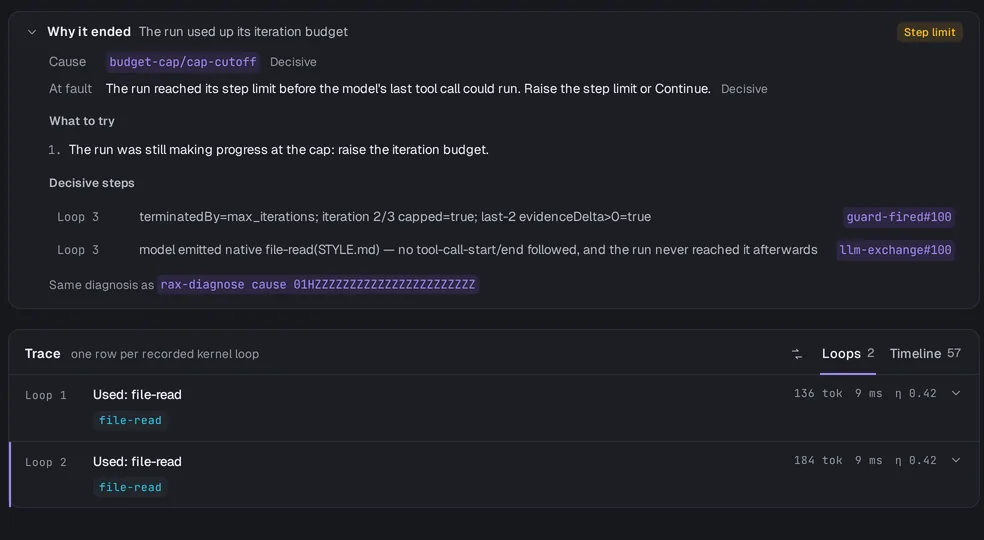
Section titled “Run view”Open any run from Runs, a chat turn or Beacon to get the step-debugger: vitals, the answer, the Why it ended diagnosis, the loop and timeline trace, and an inspector with Summary, Safety, Decisions, Signal, Context, Memory, Messages and Events tabs. See Run view and traces.
Multi-turn chats with a quick bar, a Config popover, slash commands, file tagging, attachments, a to-do dock and live approvals. See Chat and composer.
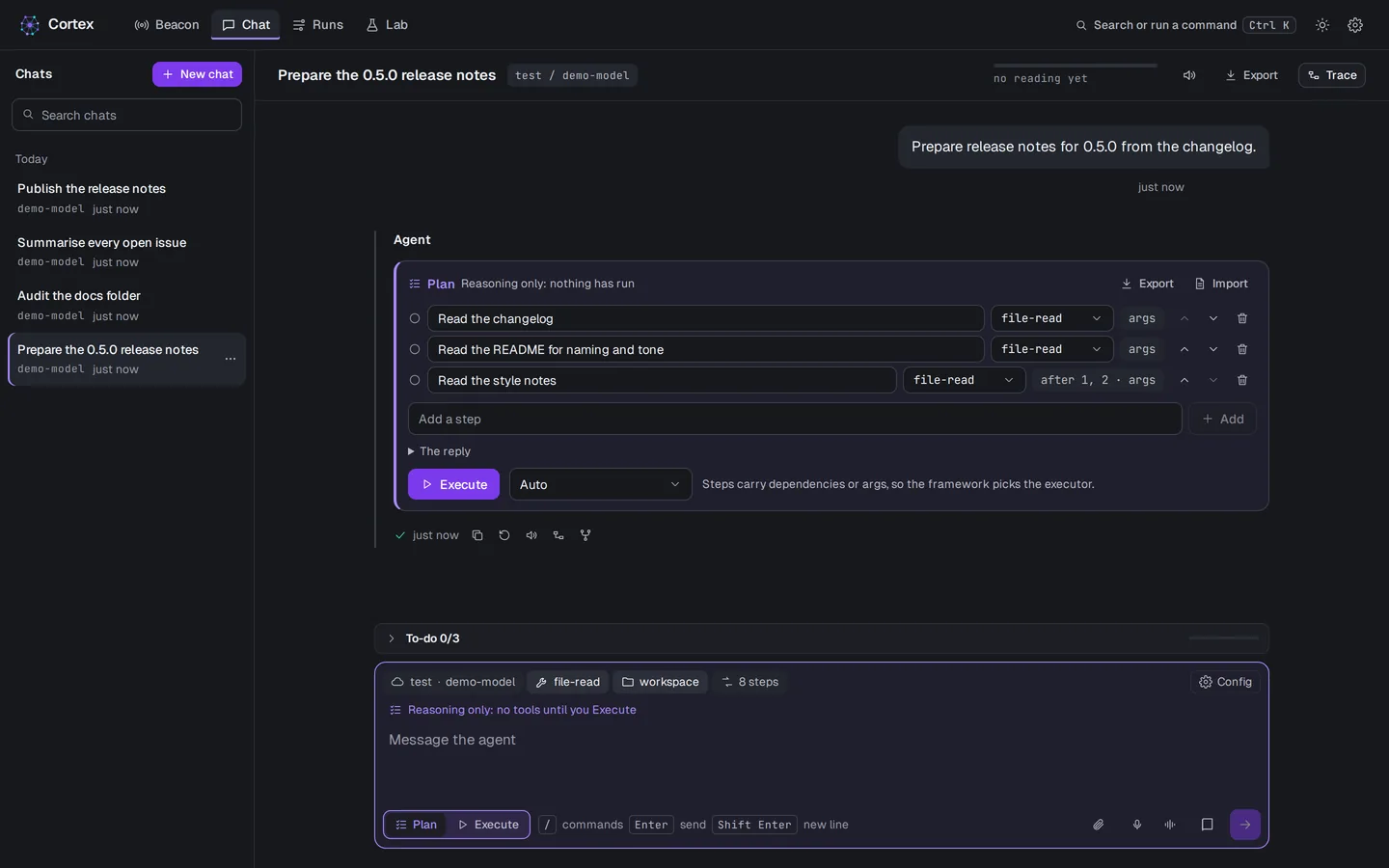
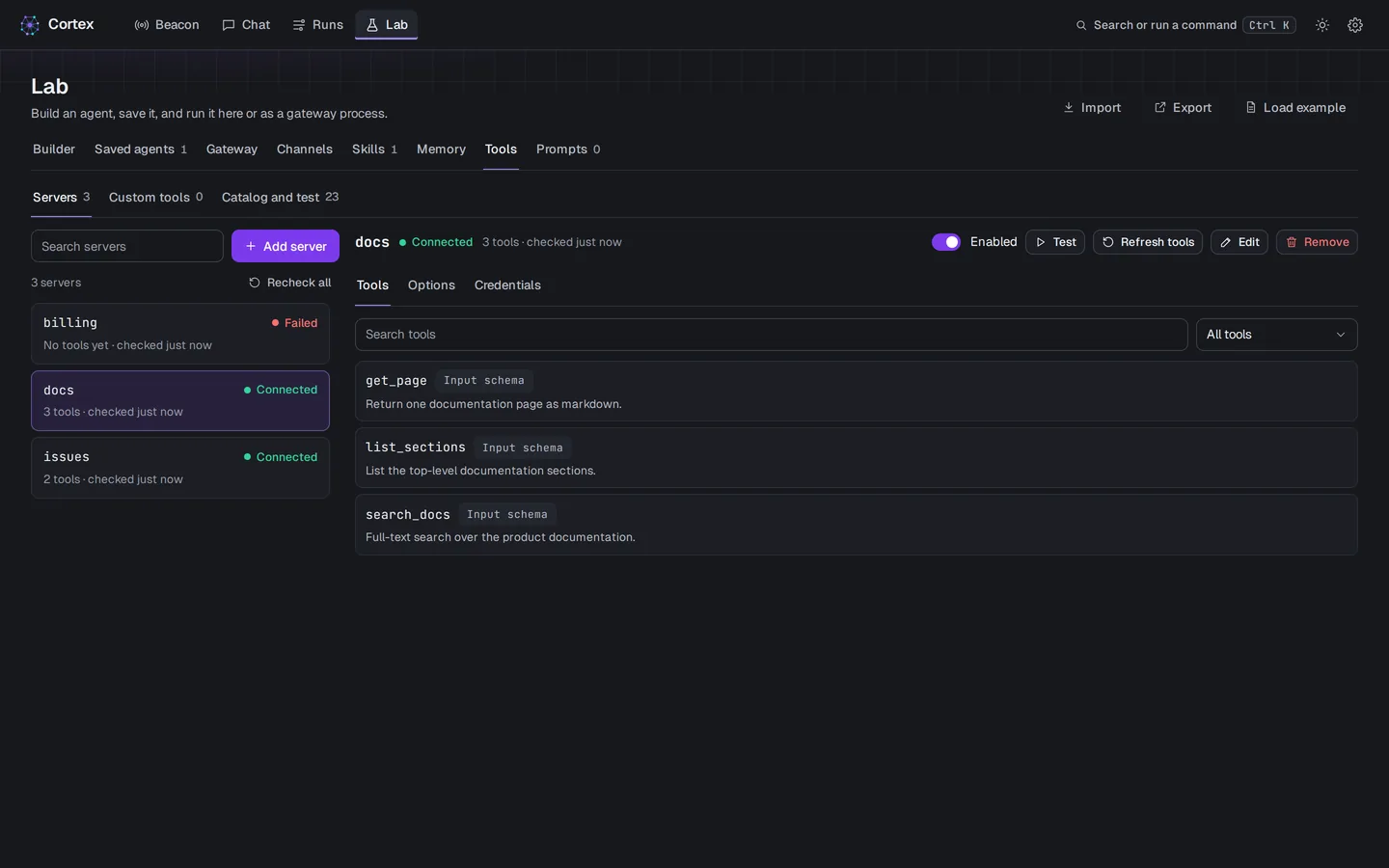
The workshop: the Builder (every framework option as a form), Saved agents, Skills, Memory, Tools (sub-tabs Servers, Custom tools, Catalog and test) and Prompts. See Lab builder and Memory and skills.
Settings and model pages
Section titled “Settings and model pages”Defaults, provider keys, voice, notifications, appearance and storage live in Settings. Every model name links to a model page with its capabilities, spend and calibration. See Settings and keys.
Install
Bun (recommended)bun add reactive-agentsNode 22.5+npm install reactive-agentsGet notified on new releases