

Goals, plans and loops
Goals, plans and loops
Section titled “Goals, plans and loops”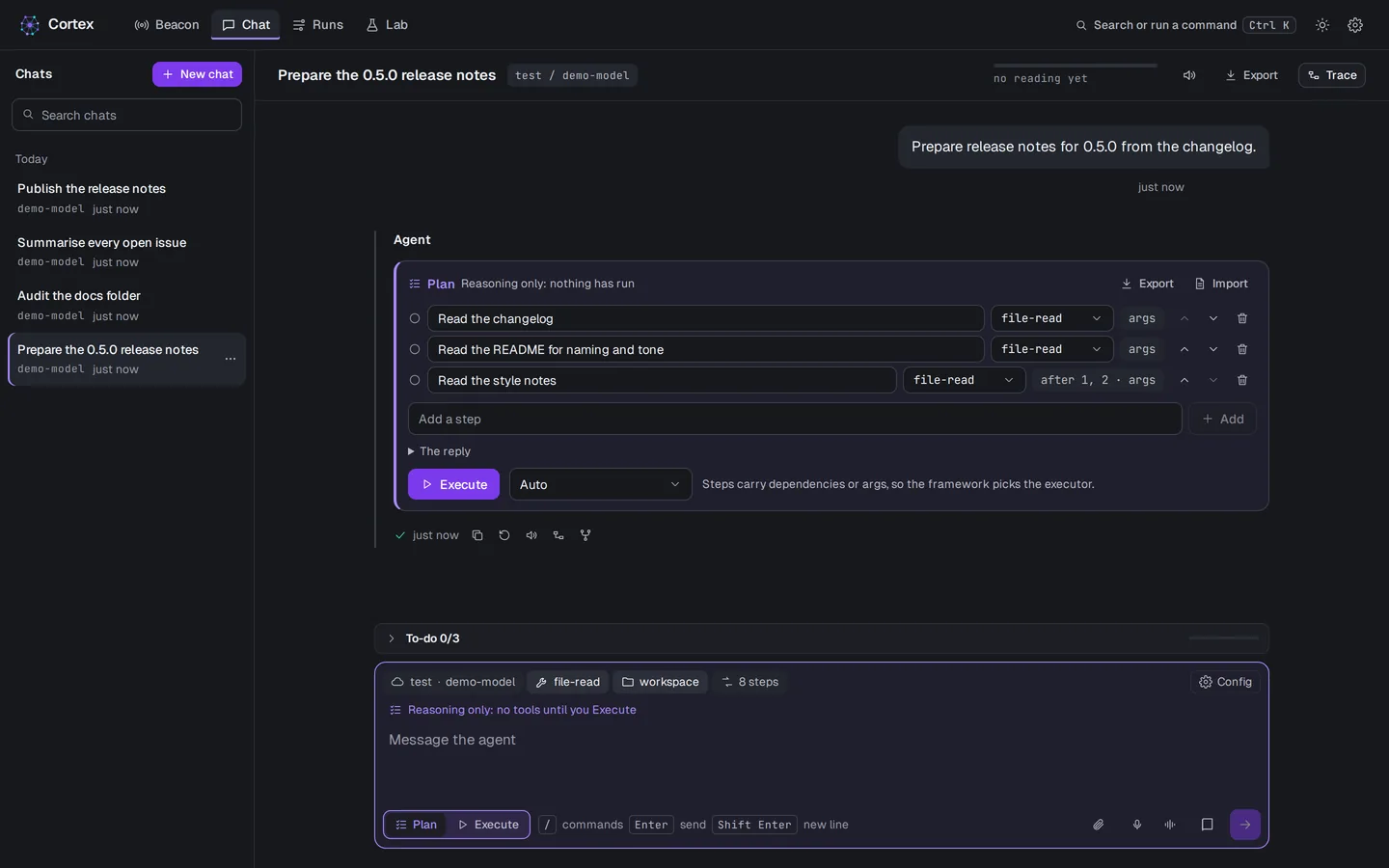
These slash commands are user-started. Goals change no default and add no model-visible prompt outside a goal you start. They do not claim to improve results: a goal only supervises ordinary chat turns until a check passes or a budget runs out.
/goal <objective>— proposes a goal: objective, derived criteria and a budget. Nothing runs until you accept the proposal in the goal bar (propose, then accept)./goal pause,/goal resume,/goal canceland/goal statuscontrol it afterwards.- Verdict language — a goal ends as achieved, stalled, blocked, budget-exhausted or cancelled. When the checks cannot decide, the verdict is
null, shown as “not yet decided”. Cortex never guesses. Criteria that are regex or must-include checks are evaluated deterministically; rubric-only criteria use one LLM call per segment, and that checker call’s cost and tokens do count in the goal’sspent. Progress comes from the run itself: a segment counts as progress when its run’s assessments report new evidence (evidenceDeltaabove 0). Meta-tool-only work, such as ticking the to-do list, a failed tool call, or a tools-off reply, adds no evidence and does not count. Two segments without progress end the goal as stalled. When a segment’s run reports that its exit gate denied completion (goalAchieved: false) or RunContract requirements are still outstanding, the goal is never called achieved, even if the criteria pass. Ordinary chat turns do not report that verdict to Cortex yet, so today this veto only applies on paths that expose it. - Budget — the default is 5 segments, $1 and 200,000 tokens. Budget is checked between segments only, so a single segment can overshoot. Exhaustion ends the goal as budget-exhausted. If any turn reports no cost (for example an unpriced local model), the dollar cap cannot be enforced: the goal bar shows “cost unknown” instead of a $ meter, and the token budget is what bounds spend.
- Session ownership — an active goal owns its session. Plain chat messages return a 409 while the goal is active; pause or cancel it first. If you accept a goal while one of your own turns is still running, the goal waits up to 60 seconds for that turn to finish before its first segment; only if the session is still busy after that does the goal end as blocked, with the reason shown in the goal bar.
- Resume — a paused, stalled or blocked goal can be resumed from the goal bar (or
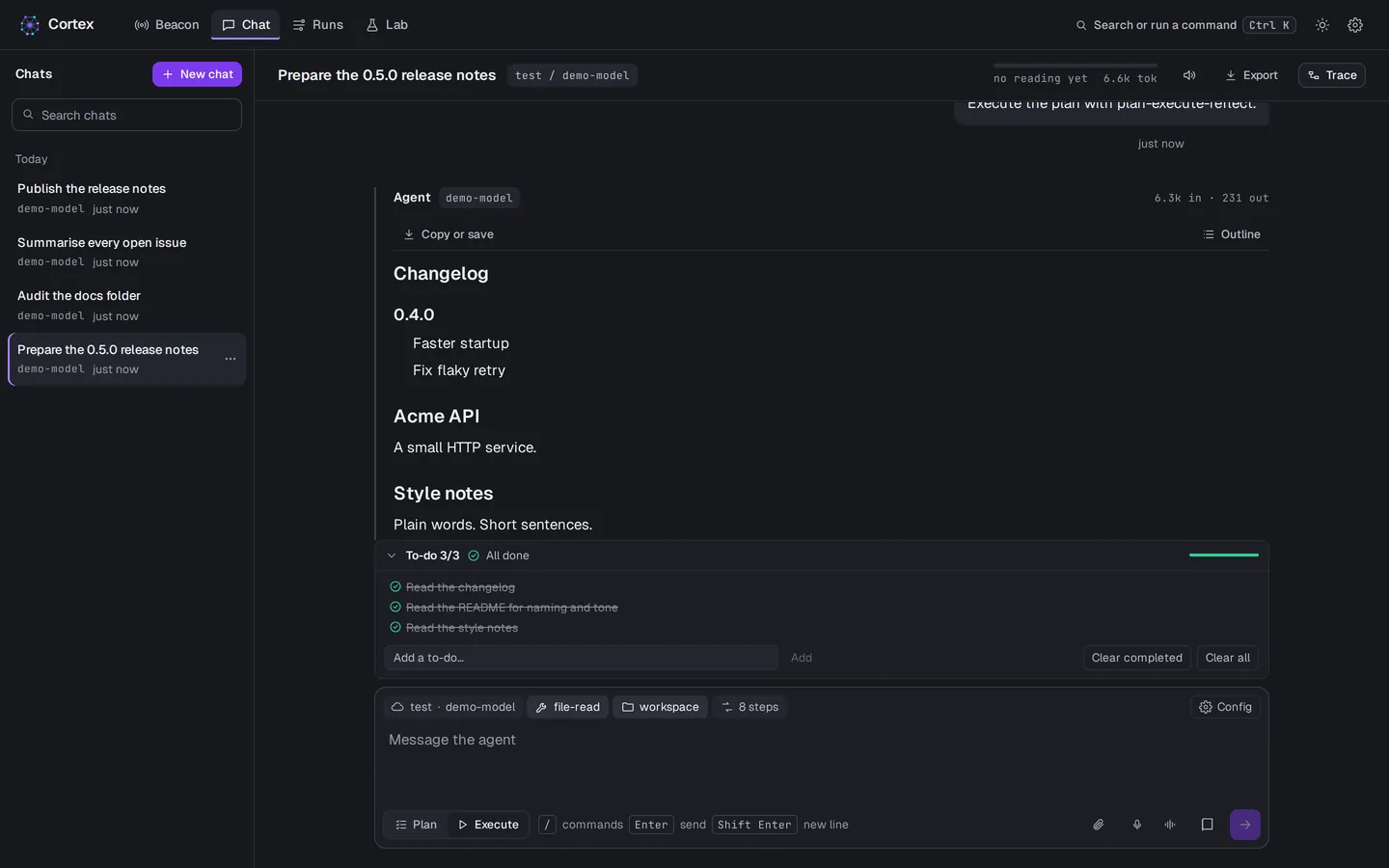
/goal resume). Resuming a stalled goal clears its no-progress count; resuming a blocked goal retries the segment that failed. Resume is refused while a segment is still finishing, and for a stalled or blocked goal whose budget is already spent. /plan [task | show | hide]— Plan and Execute are two modes of the chat session (the framework’s session mode,session.setMode("plan" | "execute")), and/planis a shortcut for the Plan side of the Plan | Execute toggle in the composer (also Shift+Tab). The mode is stored with the session, so it survives a reload. A turn in plan mode runs as reasoning with no side effects: the agent has no capability tools (every such call is refused) and records its plan with thetodochecklist, which Plan mode turns on for the chat. If it records none, the harness derives the steps from the reply. The plan shows as an editable card (reword, reorder, remove, add steps, pick each step’s tool from the chat’s own tools (a step whose text names a tool starts with it chosen), and export or import the plan as Markdown, JSON or a web page) with an Execute button: it records your edited plan through the framework (session.setPlan), switches to Execute and sendsExecute the plan., and the next turn follows the list. An Execute strategy picker (Auto, Blueprint, Plan-execute-reflect) next to the button runs the plan through the framework’s plan executor,agent.execute(plan, { strategy }), and each step can carry the steps it waits for and a JSON object of tool arguments (a folded editor under the step); the framework validates the plan and its reason shows on the card when it refuses one. See Plan and Execute mode. That reply stays in the conversation history, so the next execute turn sees it. This is a tool restriction, not a quality claim: Cortex makes no claim that plans improve results. Plan mode is independent of theplan-executereasoning strategy, which decomposes a task into steps./plan showand/plan hidetoggle the plan card and to-do dock./execute(alias/go) — a shortcut for the Execute side of the same session mode: it puts the session back in execute mode, where turns run with their tools as usual./loop <5m|1h> <prompt>and/schedule "<cron>" <prompt>— fire a prompt as an ordinary turn on a timer (/loop stop,/schedule list,/schedule rm <id>manage them). Schedules fire only when the session is idle: if the session is busy the fire is recorded asskipped:busy, and fires are also skipped while a goal is active. Every schedule expires (default 7 days, maximum 30 days), a session holds at most 3, and each fire has a $0.25 cost cap that is checked after the turn runs, so one fire can exceed it.
Agent proposals
Section titled “Agent proposals”- Proposals, not actions. The agent can propose a goal, a loop or schedule, or a config change. Each proposal appears inline in the chat as a card with a summary, its arguments, and Apply and Dismiss buttons. Nothing is changed until you click Apply.
- States. A proposal is proposed, applied or dismissed. If an Apply fails (for example an invalid cron), the card stays pending and shows the error so you can retry or dismiss. Applying refreshes the goal bar, schedules and session config.
- Not measured. Whether small local models propose the right action with the right arguments has not been measured; do not assume it works reliably on them. Review each card before applying.
More chat commands: Chat and composer.
Install
Bun (recommended)bun add reactive-agentsNode 22.5+npm install reactive-agentsGet notified on new releases